Install the App
Add it to your Home Screen for quick access
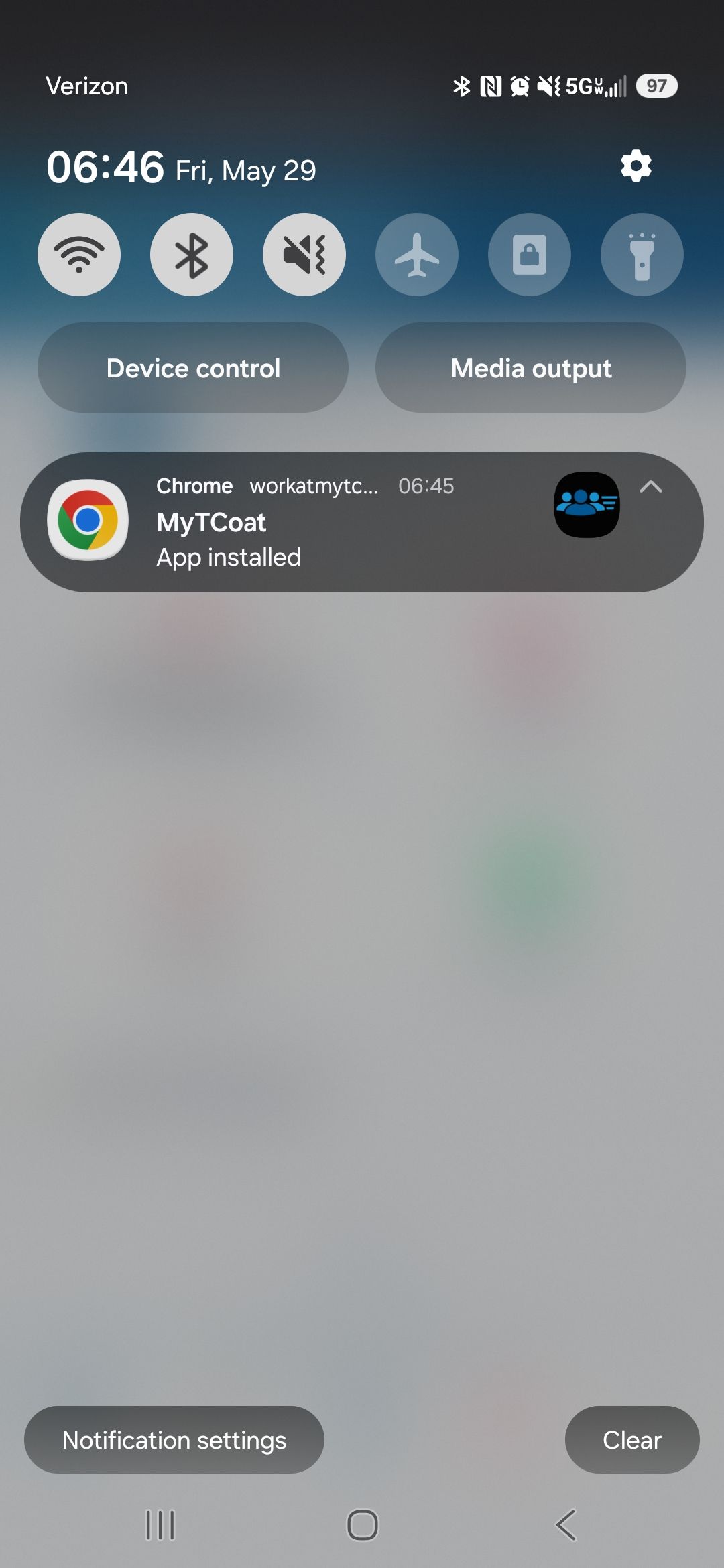
Android
iPhone
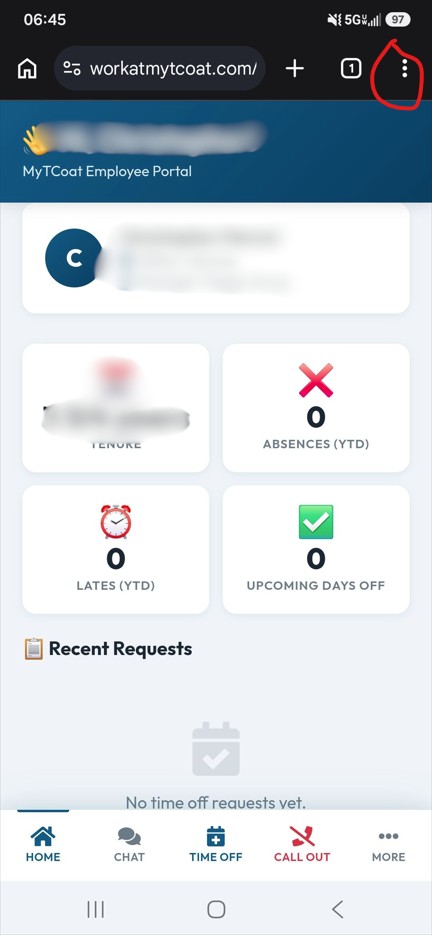
1
Open the Employee Portal in
Chrome
2
Tap the
3-dot menu
in the top-right corner
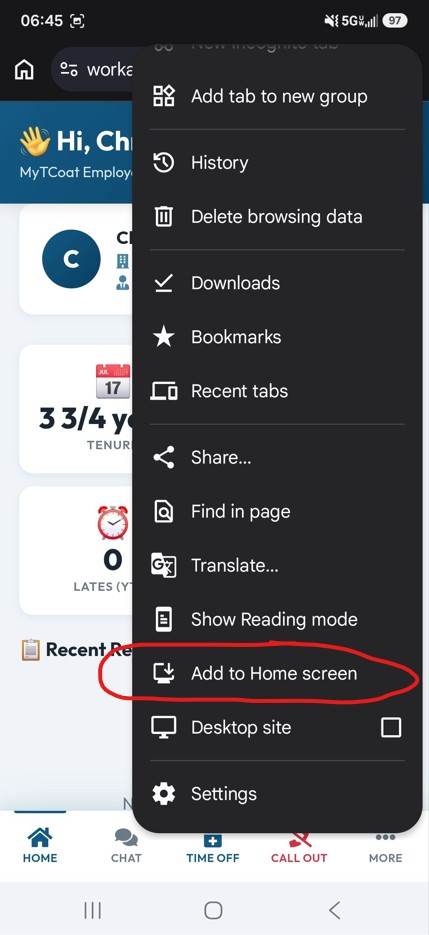
3
Tap
Add to Home Screen
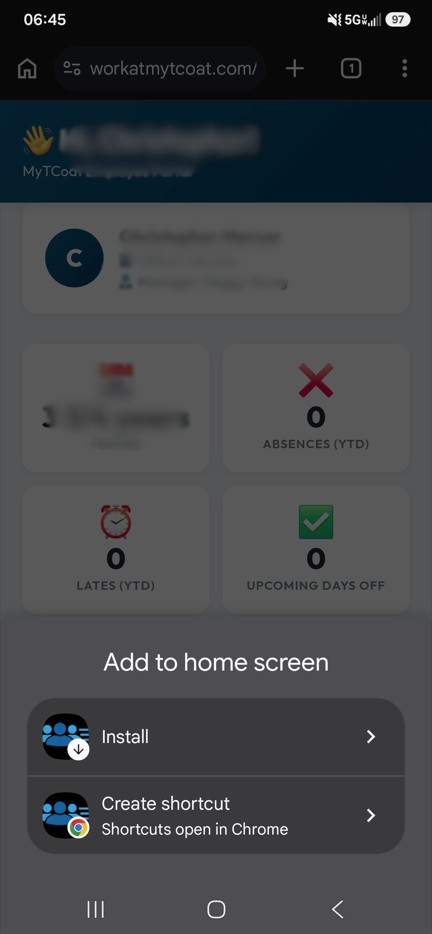
4
Tap
Install
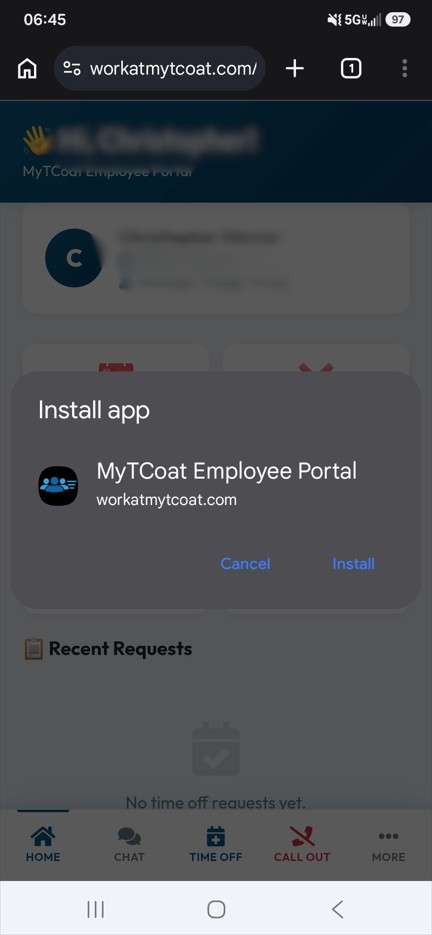
5
Tap
Install
again to confirm
6
Launch the app from your
Home Screen
Don't forget!
After opening the app, go to
More → Enable Notifications
so you don't miss important announcements.
1
Open the Employee Portal in
Safari
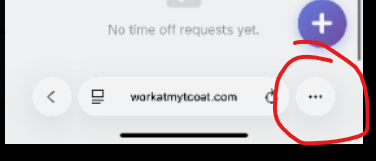
2
Tap the
Safari menu
(address bar icon)
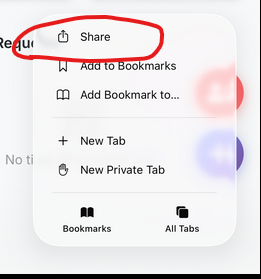
3
Tap
Share
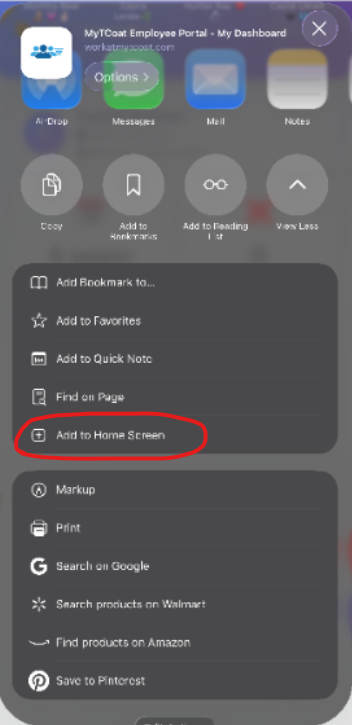
4
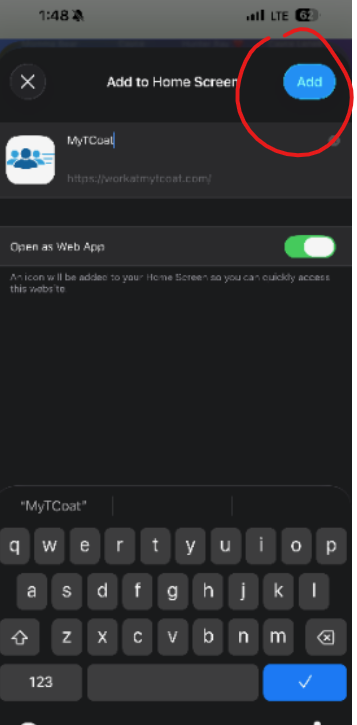
Tap
Add to Home Screen
5
Tap
Add
in the top-right
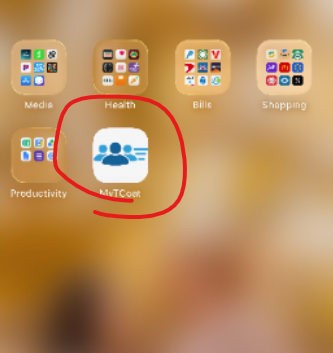
6
Launch the app from your
Home Screen
Don't forget!
After opening the app, go to
More → Enable Notifications
so you don't miss important announcements.
Back to Sign In